Cold chain monitoring
Keep every load in range,
from depot to delivery.
Fleetbooks puts cargo temperature and vehicle location on one live map. Set the range for each vehicle, get alerted the moment it drifts, and keep a full temperature history for every journey.
- Wireless temperature, humidity and door sensors
- Alerts by email, SMS and in-app push
- Works with the trackers you already have

Works with the trackers already in your vehicles


A temperature log at the end of the day is too late.
Most cold chain losses don't come from one big failure. They come from small things nobody sees in time: a door left open at a drop, a unit switched off during a break, a van parked in the sun.
- 01
No live view
You know where the van is, but not what the cargo is doing.
- 02
Separate systems
Tracking in one tool, temperature in another, fuel and maintenance in spreadsheets.
- 03
Slow response
Problems surface when a customer rejects a delivery, not while the driver can still fix them.
- 04
Patchy records
Proving a load stayed in range means pulling files from several places.
Temperature, location and fleet operations in one platform.

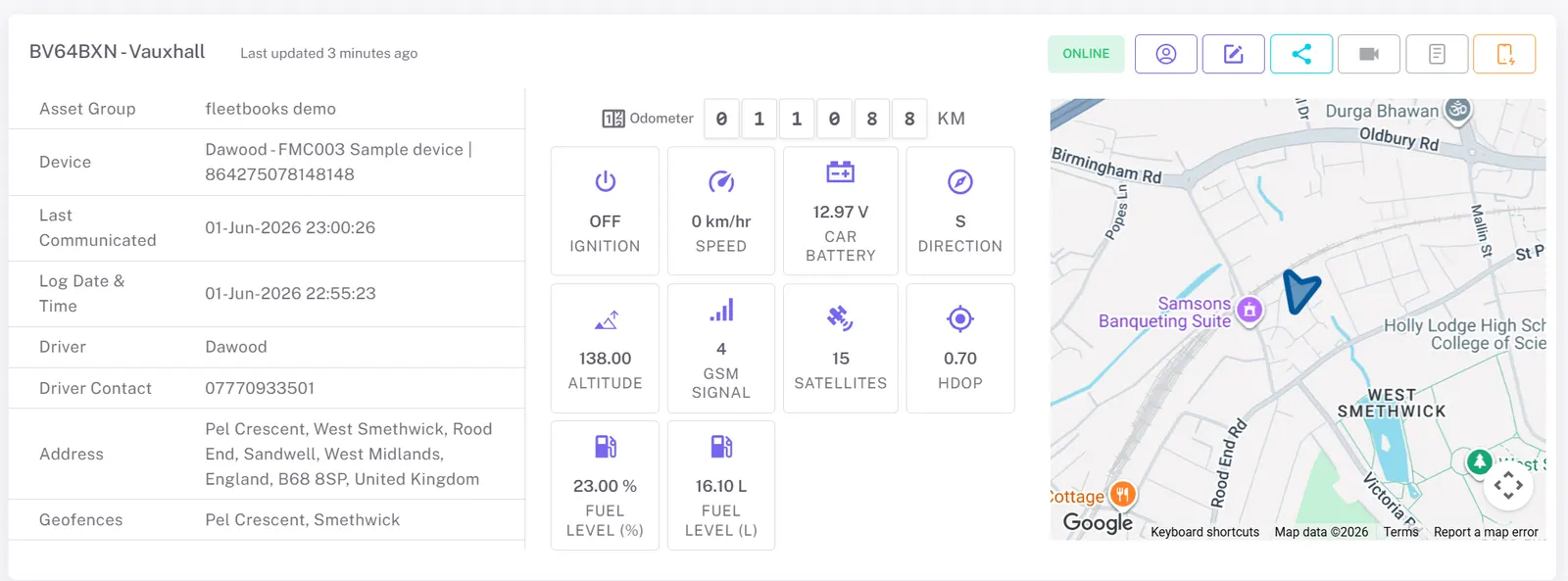
Live cargo conditions on the live map
See every refrigerated vehicle's position and cargo temperature on the same screen. No switching between a tracking portal and a sensor portal.
- Temperature, humidity and door status per vehicle
- Several sensors per vehicle for multi-compartment loads
- Web dashboard and native iOS and Android apps
Alerts while there's still time to act
Set the acceptable range for each vehicle or cargo type. When a reading goes out of range, or a door opens where it shouldn't, the right people hear about it straight away.
- Thresholds per vehicle or group, for chilled and frozen loads
- Delivered by email, SMS and in-app push notification
- Combine with geofences to catch problems at a depot or customer site
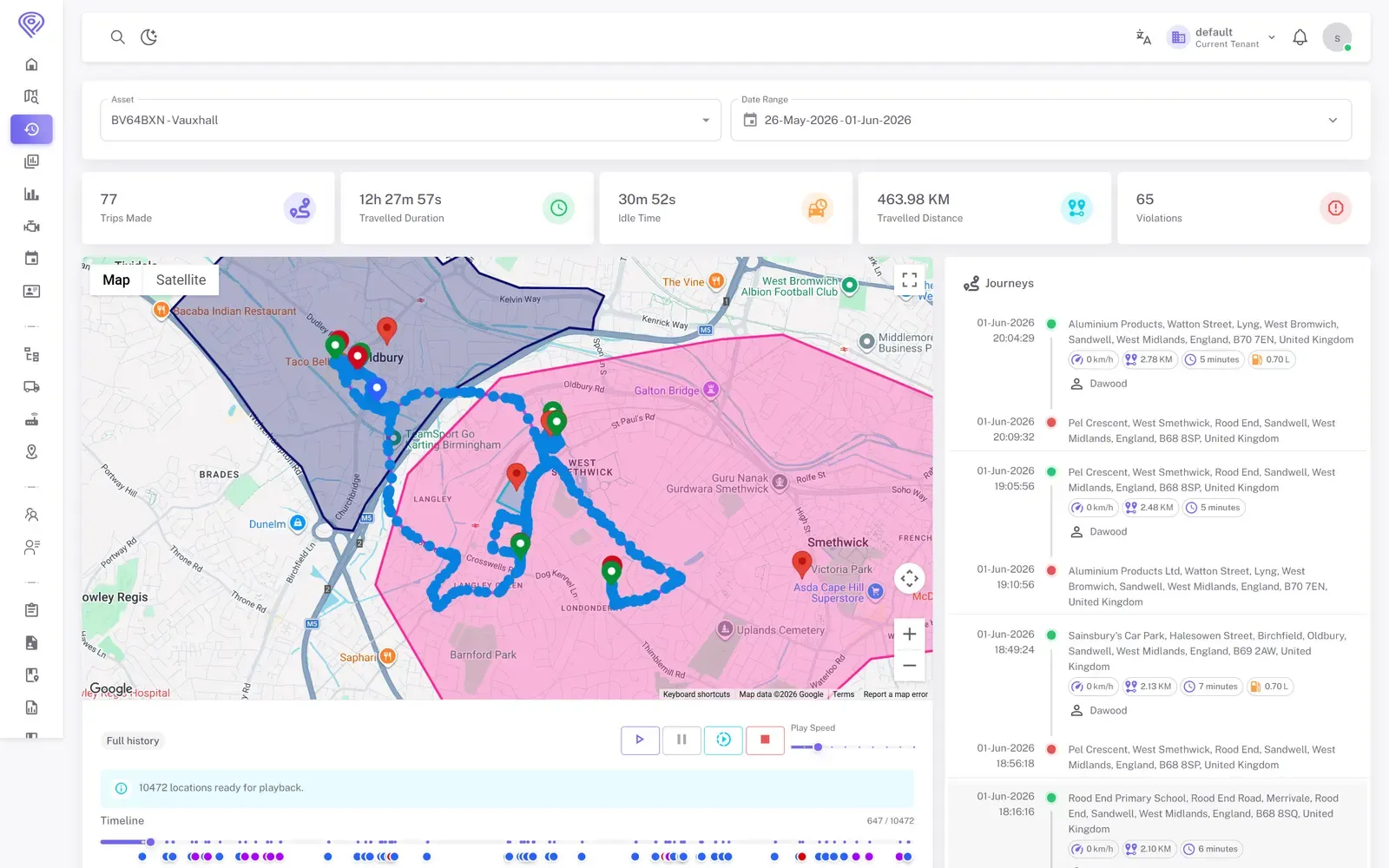
A full temperature history for every journey
Every reading is stored with the time and GPS position. Replay any trip and see exactly where and when the temperature changed.
- Route playback with a timeline scrubber
- Journeys split automatically by start, stop, distance and duration
- Export reports, or share a secure link with a customer or auditor
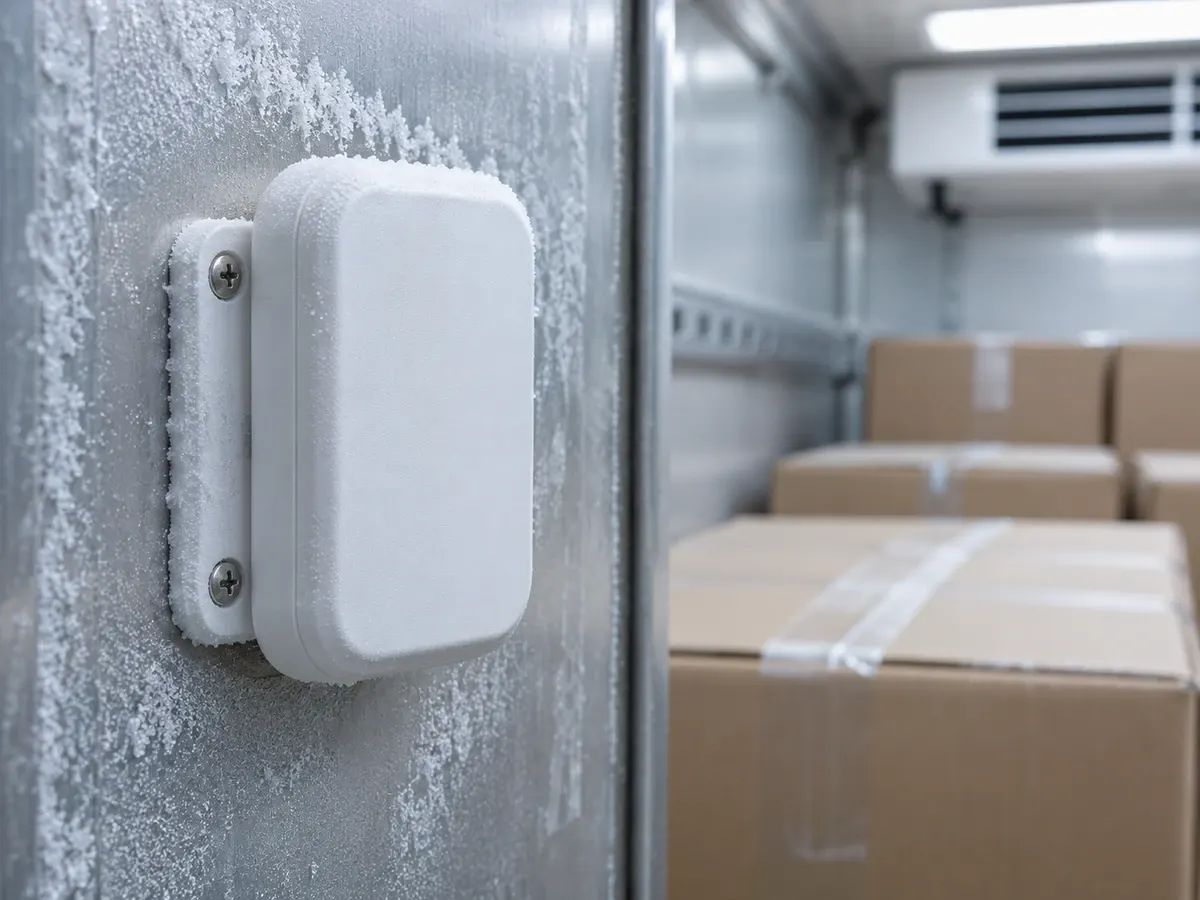
Wireless sensors, no rewiring
Fleetbooks reads BLE sensors through the tracker already fitted to the vehicle. Sensors are set up and calibrated per vehicle in the platform.
- Sensors mount inside the cargo area, with no cable runs
- Calibrate each sensor in Fleetbooks
- Keep your existing Teltonika, Queclink, Jimi IoT, Ruptela, BSJ and MettaX trackers
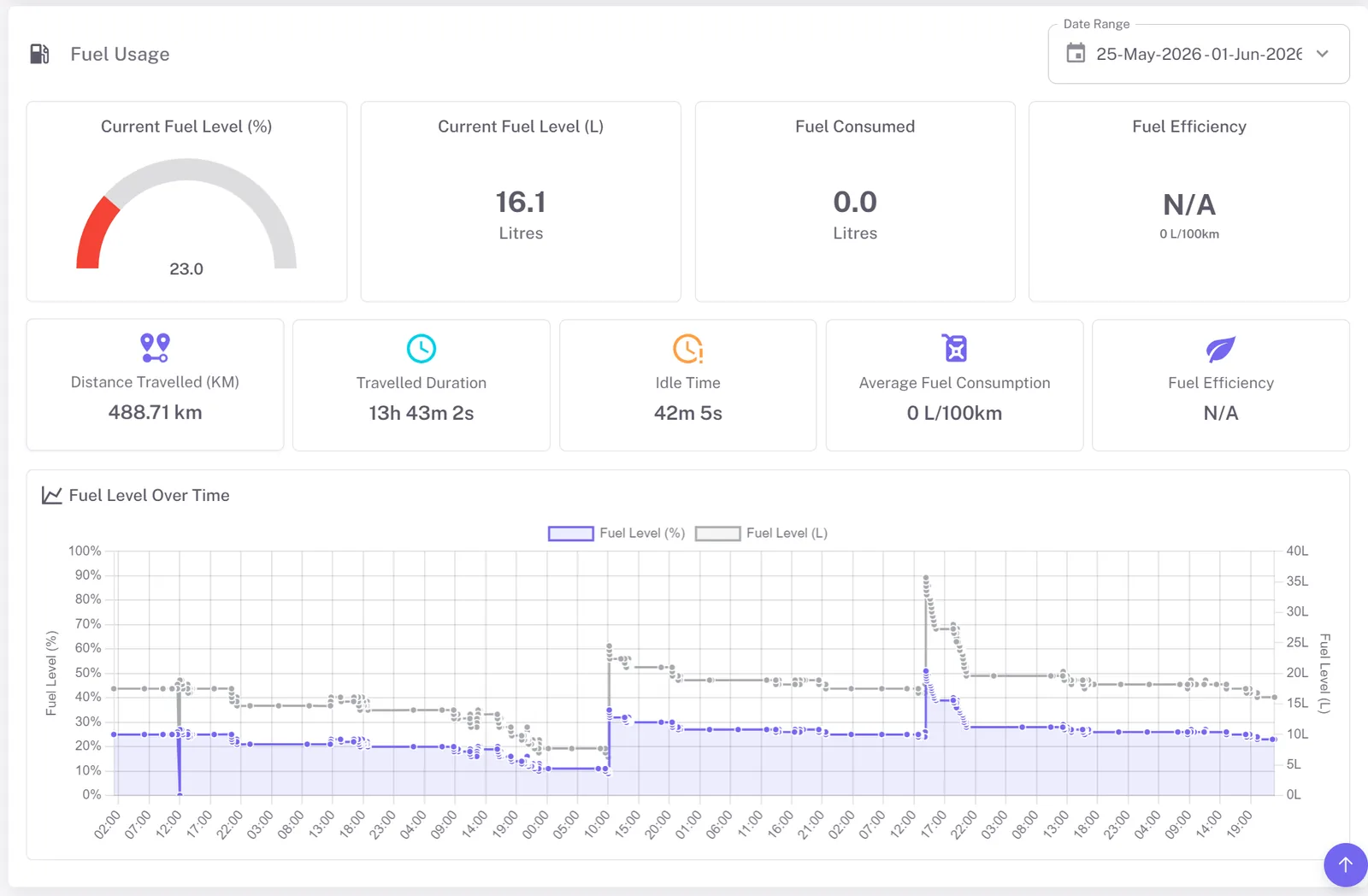
Protect fuel, vehicles and drivers too
Reefer units burn fuel even when the vehicle is parked. Fleetbooks tracks fuel levels, flags suspected theft and scores driver behaviour, so the whole operation runs tighter.
- Fuel theft and refuel detection from the fuel sensor
- Driver scorecards for speeding and harsh braking
- Maintenance and inspections by date, distance or engine hours
Connect to your other systems
Send temperature, location and trip data into your WMS, ERP or customer portal through the Fleetbooks API.
- API keys you can issue and revoke
- Scheduled reports delivered automatically
What a temperature alert looks like in practice.
Illustrative example
- 06:10Van leaves the depot loaded at 4 °CJourney starts; geofence exit logged
- 08:35Rear door held open during a dropDoor-open status and rising temperature on the live map
- 08:42Cargo reaches 8.6 °C, above the 8 °C limitAlert sent to the shift manager
- 08:44Manager calls the driver; door closed, unit checkedTemperature trending back down
- 08:58Cargo back at 5 °CBack in range; full record kept on the trip
- 17:30Daily temperature report goes to the quality teamScheduled report with every excursion and its location
Built for the way your cold chain runs.
Food distribution
Keep chilled and frozen stock in range on multi-drop routes.
Pharmaceutical and medical
Monitor medicines and vaccines on every journey, with records to share.
Dairy and fresh produce
Protect short shelf-life goods from farm to store.
Seafood and meat
Hold frozen and chilled products at strict temperatures.
Last-mile grocery
Run small refrigerated vans with full visibility of every drop.
3PL and reefer carriers
Group vehicles per customer and feed their systems through the API.
Live in days, not months.
- Step 1
Connect
Plug Fleetbooks into the trackers you already have, or fit supported ones.
- Step 2
Configure
We set up your sensors, temperature ranges, geofences and alert recipients.
- Step 3
Monitor
Watch temperature and location live on web and mobile, with alerts as soon as anything drifts.
- Step 4
Prove
Replay trips, schedule temperature reports and share records when customers ask.
One platform instead of three tools.
| Capability | Basic GPS tracker | Standalone data logger | Fleetbooks |
|---|---|---|---|
| Live location | |||
| Live cargo temperature | Sometimes | ||
| Out-of-range alerts | Sometimes | ||
| Temperature and route history together | |||
| Fuel, maintenance and driver scoring | |||
| Works with your current trackers | One brand |
Run a tracking business? Offer this to your cold chain customers under your own brand.
White-label platformCommon questions
Bring your cold chain into view.
Start with one route or your whole refrigerated fleet. We'll connect your trackers and set up your temperature ranges with you.