Geofencing
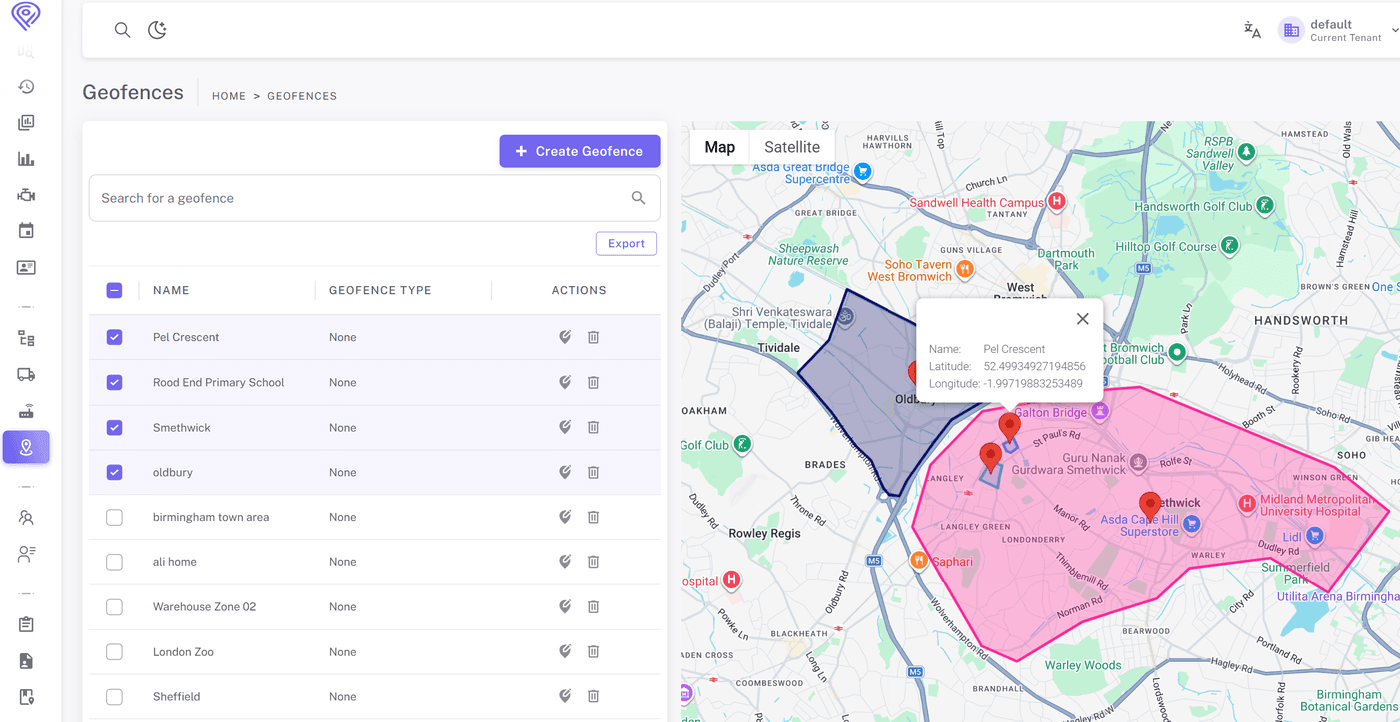
Draw boundaries around job sites, depots, customer locations, or restricted areas — then let Fleetbooks monitor them automatically. When a vehicle enters or exits a zone, you're notified within seconds.
Key capabilities
What Geofencing does for your fleet.
Three Zone Shape Types
Create circular zones for quick setup around a point, rectangles for roads and corridors, or freehand polygons to match the exact footprint of a site or building.
Entry and Exit Alerts
Choose who gets notified and how — email, SMS, or push notification. Alerts include the vehicle name, driver, zone name, and precise timestamp of the crossing.
Time-of-Day Restrictions
Define when each geofence is active. Monitor a depot perimeter only after hours, or track arrivals at a client site only during business hours.
Who uses it
Geofencing is used across industries wherever fleet visibility and control matter.
Job Site Arrival Confirmation
Confirm when equipment or crew vehicles arrive at and depart from a construction or service site each day — no phone call needed.
Customer Arrival Notifications
Automatically notify a customer when their delivery vehicle enters the surrounding area, giving them a reliable heads-up without manual coordination.
After-Hours Unauthorized Movement
Alert the on-call manager immediately if a vehicle leaves an assigned yard or territory outside of working hours.
See Geofencing in action
Book a 30-minute demo and we'll walk you through your specific use case.